Thursday, July 17, 2008

My Little Man and Photoshop

I just wanted to post some of the fun I've been having with photoshop. This photo was taken of our son a couple of Sunday mornings ago. This shirt has a pink stripe in it, which bugs my hubby. That's why I took the pictures of our son in it!

Anyway, the photo on the right is the original photo. The one on the right is enhanced by photoshop. I used the auto contrast, unsharp mask, adjust hue/saturation and omni light features.


Here is the same photo converted to black and white.

Here's another shot: the original is on the left, the right is converted to black and white!

Monday, July 14, 2008

Portraits at the Beach

There is no better subject in my photos than my children. There aren't many better settings than the beach. So I took the opportunity during a recent stay in Destin, Fl. to photograph my children.


Tuesday, July 8, 2008

Beach Beauty


I love the beach! Of course, I also love the mountains, the prairies, the big cities, the farm and more. I am grateful that God is such a creative God that He created variety and beauty. He is so gracious that He allows us to enjoy it. I have been privileged to see a good bit of the U.S. this year: we have driven from south Alabama to Colorado and back, we've been to the beach in Florida as well.

Every time we travel, I am struck by the awesome power and grace of God. I can't resist trying to capture the beauty we see with my camera. I'm not a pro...its just for my own pleasure, but I want to share some photos of God's creation here. I hope you'll praise God for his creative power and grace as you look at them.


Saturday, June 14, 2008

Summer Snapshots


Some photoshop fun: I applied the watercolor filter to the above picture to get this pretty effect:

Thursday, June 5, 2008

Photos of Garden of the Gods, Colorado Springs, Colorado

Garden of the Gods is a spectacular place! We recently visited there and I had a blast snapping lots of pictures.


I loved the orange and blue contrast created by the rocks jutting up into the sky.


I had fun with this large window at the visitor's center. Because the sun created a great reflection, I was able to photograph myself with the landscape of Garden of the Gods and Pikes Peak behind me.


We visited the park in the late afternoon. It was beautiful, but I wanted to go back and get a couple of pictures in the morning sun. These were taken in the morning light:


What majestic beauty. I envy the people who wake up every morning to see this out their window. God's creative work is beyond description!

Saturday, May 24, 2008

Blur Filter

I recently posted on Sweet Tea Please this picture of my kiddos with the neighbor kids and their dog.


Since I am still learning how to use Photoshop Elements, I am excited about any and everything I learn to do.

I took the above picture, created a duplicate layer by hitting ctrl J. I then applied the Gaussian Blur filter on it. Here is the result:


It kind of hurts your eyes to look at it doesn't it? I changed the opacity of this layer to about 50% before proceeding.

Next, I chose the eraser tool and enlarged the size of it until it was a size I liked. I pointed it on Shadow (the dog's face) and clicked. This erased the blur on the selected area, making the dogs' face the only part of the picture in focus.


I really like the effect. What do you think? I can see how this effect could really increase the interest in some pictures.

Friday, February 29, 2008

P-Bug!

Having just recently acquired photoshop elements, I am slooowwwly learning how to use it! Some of the things I am playing around with are black & white, the sketch filter and opacity of a layer. So here are the results:

This is my niece, nicknamed p-bug. This is the original photo (not taken by me):
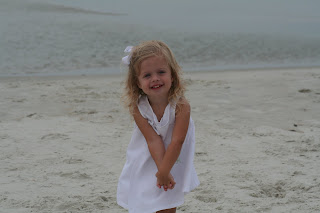


Unfortunately, I don't remember the steps I took to get each of these effects, but its fun to experiment. In the following, I was messing with the opacity of a layer:
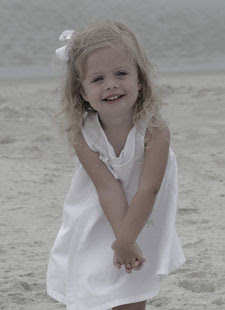

With this one I was messing around with the sketch filter..I can't remember all the steps.
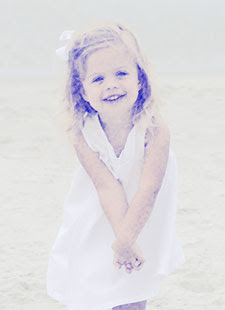
This was created with layers, masks, etc. I guess I should write down what I do while I'm playing if I plan to blog about it, huh?
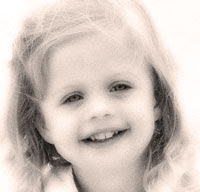
I know this isn't a helpful or informative post by any means. But at least you got to see my beautiful niece!